
Honista vs Instagram: Key Differences & Risks
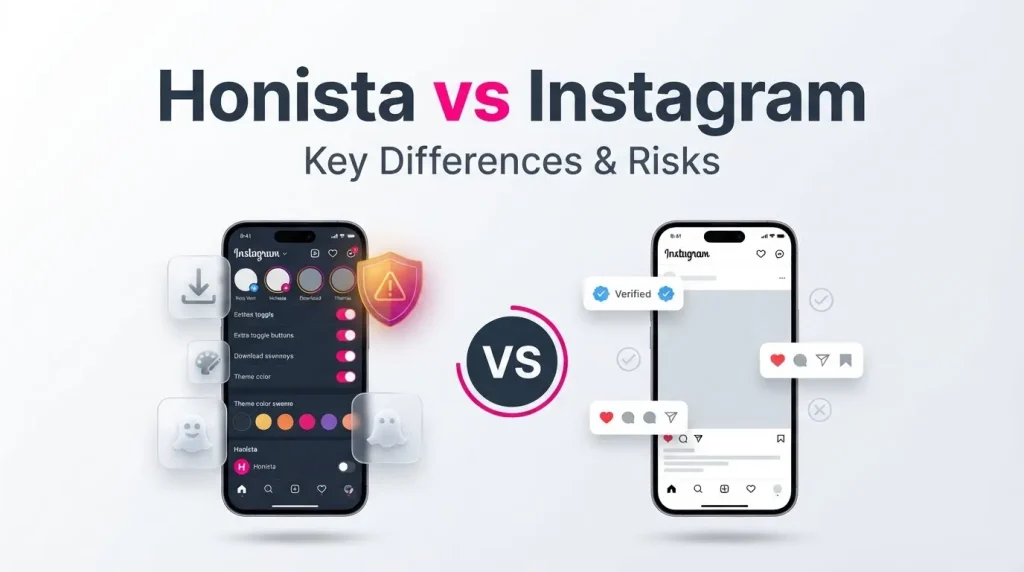
Honista is a modified copy of the Instagram app, so the comparison is really about what it adds and what you give up in exchange. In short: Honista offers more control, including downloads, privacy switches, and customization, while the official app offers safety, support, and automatic updates. This page compares them side by side so you can decide. This site is independent and isn’t affiliated with Instagram or Meta.
The Short Answer
| If you want… | Better choice |
| The lowest risk to your account | |
| To save stories, reels, and photos directly | Honista |
| To hide seen and typing status | Honista (with limits), or Instagram’s official controls |
| Automatic updates and support | |
| To change themes, fonts, and layout | Honista |
| A trusted, store-reviewed app | |
| Fewer ads and suggestions | Honista filters, with limits |
| To use it on iPhone | Instagram. Honista is Android only |
Honista is a reasonable trial for a secondary account. For an account that matters, the official app is the safer choice.
What Each App Is
Instagram is Meta’s official app, available from Google Play and the App Store. It’s reviewed by the stores, updated automatically, and supported by Instagram.
Honista is an unofficial, modified version of the Instagram app for Android, developed by PerfecDev. It’s installed manually as an APK file, and it’s not made, supported, or endorsed by Instagram or Meta. To learn more about the app on its own, see our Honista APK overview.
Side-by-Side Comparison
| Area | Honista | |
| Maker | Meta | PerfecDev (third party) |
| Where you get it | Google Play and the App Store | A manual APK download |
| Platforms | Android and iPhone | Android only |
| Cost | Free | Free |
| Updates | Automatic | Manual |
| Store review | Yes | No |
| Media downloads | Limited official options | Built-in download tools |
| Ghost-style privacy | Some official controls | Seen, typing, and viewer options |
| Themes and fonts | Light and dark mode | Colors, fonts, emoji, backgrounds |
| App lock | Not built in | PIN, password, or fingerprint lock |
| Ad and suggestion control | Some official controls | Filters for sponsored and suggested content |
| Official support | Yes | No |
| Terms compliance | Compliant | Breaks Instagram’s terms |
| Account risk | Standard | Higher |
| Data handling | Governed by Instagram’s policy | Not independently verifiable |
The last four rows are the ones many comparisons skip, and they matter most.
Features
Honista’s main advantage is the tools it adds on top of Instagram’s own:
- Media downloads. Download buttons for posts, reels, stories, and profile pictures. See how it works in our guide to downloading stories and reels with Honista.
- Customization. Colors, fonts, emoji styles, and chat backgrounds.
- App lock and hidden chats. A PIN or fingerprint lock, plus hidden conversations.
- Filters. Options to remove sponsored posts, suggested content, and certain post types.
- Backup and extras. A settings backup tool, a shortcut menu, and some experimental tools.
Instagram, meanwhile, has everything that makes the platform work: the newest features first, reliable messaging and posting, creator and shopping tools, and full compatibility with new releases. Honista runs on an older Instagram base, so it may lack some of the newest official features.
For the full list of what Honista adds, see our overview of Honista features.
Privacy Controls
Both apps give you some privacy tools, but they work differently.
- Instagram lets you set accounts to private, hide your online status, choose who sees stories, use Close Friends, and in some cases turn off read receipts. These are official, and they work with Instagram’s systems.
- Honista adds ghost-style options: viewing stories without appearing in the viewer list, reading messages without a seen label, and hiding your typing status. These change what other people see. They don’t change what Instagram sees, and they can stop working after an Instagram update.
A key difference is trust. Instagram’s privacy settings come from the company that runs the platform and are covered by its published policies. Honista’s privacy features come from a third party, and nobody can independently check what the app does with the data it can access.
Ads and Suggestions
Instagram shows ads, sponsored posts, and suggested content, though you can use official controls to see less of some of them, such as snoozing suggested posts or using the Following feed.
Honista adds filters that hide sponsored and suggested posts and let you filter by type. They reduce clutter but don’t promise to remove every ad, because Instagram can change how ads appear. The details are in our guide to the ad blocker and content filters.
Updates and Reliability
| Honista | ||
| Update method | Automatic through the store | Manual APK install |
| Speed of new features | Immediate | Delayed, based on the developer’s release |
| Features break after server changes | Rarely | Sometimes, until a new build appears |
| Bug fixes | Frequent | Depends on the developer |
Because Honista is built on top of a specific Instagram version, an Instagram change on the server side can break features, and you have to wait for a new Honista release. The official app doesn’t have that dependency.
Security and Account Risk
This is the biggest difference.
Device security. Instagram comes from a store that checks apps. Honista comes from outside it, so you have to trust your source and verify the file. Fake and altered copies of popular mod apps are common. Our review on whether Honista is safe to use covers this in depth.
Account risk. Using the official app is within Instagram’s rules. Using Honista isn’t, which can lead to warnings, temporary blocks, or a suspended account. No “anti-ban” feature changes that. See our explanation of the risk of an Instagram ban.
Login security. With Honista, you enter your Instagram password into a third-party app. With Instagram, you enter it into the company’s own app.
Support and Accountability
If something goes wrong with the official app, you can use Instagram’s help center, appeal decisions, and report problems. If something goes wrong with Honista, there is no official support, and Instagram won’t help you recover an account that was restricted for using an unofficial client. You rely on the developer’s community channels and sites like this one.
There is also a difference in accountability. Meta is a regulated company with published privacy policies. A third-party developer isn’t bound in the same way.
Cost
Both are free. Don’t pay for either. Any site that asks for payment, a survey, or personal details before giving you Honista should be avoided.
Which One Should You Use?
Use Instagram if:
- Your account matters for work, income, or your reputation
- You use an iPhone
- You want automatic updates and support
- You don’t want to change Android’s security settings
- You share sensitive information in messages
Consider Honista if:
- You’re on Android and comfortable sideloading
- You mainly want to save media or customize the app
- You’ll try it on a secondary account
- You understand and accept the account risk
If you’re still unsure, start with the official app and add Honista later on a spare account.
Can You Use Both?
Yes. Honista installs as a separate app, so the official Instagram app can stay on your phone. A sensible setup is:
- Use the official app for your main account.
- Use Honista for a spare account where you want its extra tools.
Don’t use the same account in both at the same time, especially from different networks, since that can trigger security checks. If you decide to try Honista, the download page has the file and install guide. And if you want to compare other mods, see our page on Honista alternatives.
FAQ
This site, honistaapp.pro, is an independent resource and isn’t affiliated with, endorsed by, or connected to Instagram or Meta. Feature availability changes often, so check each app’s current settings.